
Why do factories and warehouses need a planned camera system?
Factories and warehouses usually combine large indoor areas, loading doors, vehicle routes, storage racks, offices and outdoor yards. A camera system designed without a site plan can leave blind spots at doors, corners, loading bays and perimeter routes.
A planned IP camera system can help teams:
- Monitor production and warehouse activity
- Review vehicle and delivery movements
- Protect loading docks, entrances and restricted areas
- Check inventory and equipment areas remotely
- Investigate incidents using recorded video
- Provide a central view for managers and security staff
The goal is not to place the maximum number of cameras. The goal is to obtain useful coverage, reliable recording and an operating process that staff can maintain.
Step 1: Divide the site into camera zones
Start with a simple site map. Mark the areas that need continuous observation, event verification or occasional remote inspection.
| Area | Main monitoring purpose | Useful camera approach |
|---|---|---|
| Warehouse aisles | Observe movement, racks and working areas | Fixed IP or dome camera with a suitable viewing angle |
| Loading docks | Record trucks, goods movement and door activity | Directional camera with a clear view of the dock |
| Vehicle entrances | Monitor access and traffic flow | Outdoor camera or PTZ camera for a wider approach view |
| Factory floor | Observe production areas and safety-related activity | Fixed camera or multiple views connected to a central recorder |
| Outdoor yard | Cover open areas, parking and storage zones | Outdoor, 4G or solar camera where cabling is difficult |
| Temporary or remote areas | Provide coverage without a permanent network | 4G or solar camera, subject to local network and power conditions |
This first map also identifies where one camera can cover a broad area and where several fixed views are better for continuous detail.
Step 2: Define what each camera must show
Different camera positions have different jobs. Before selecting a model, describe the visual result required at each location.
For example:
- A loading-dock camera may need to show the full vehicle and door area.
- An entrance camera may need a clear view of people approaching the gate.
- A warehouse camera may need to cover a long aisle without excessive distortion.
- A yard camera may need a broad overview rather than close-up detail.
- A remote storage area may need motion alerts and mobile viewing.
This prevents a common mistake: using the same lens, camera type and installation height everywhere even though the visual tasks are different.
Step 3: Choose the right connection type
The connection method should match the building layout, network availability and installation cost. A factory or warehouse may use more than one connection type in the same system.
Wired PoE or Ethernet cameras
A wired IP camera is often suitable for permanent indoor installations where cable routes and network equipment can be planned. PoE can simplify deployment by carrying network data and power through compatible Ethernet infrastructure.
Before specifying PoE, confirm:
- Available switch power budget
- Cable distance and cable category
- Indoor or outdoor cable protection
- Network cabinet location
- Backup power for switches and recorders
- Compatibility between the camera, switch and recorder
Wi-Fi cameras
Wi-Fi cameras can be useful in offices, small facilities, temporary areas or locations where new Ethernet cable routes are difficult. They still require a stable power source and reliable wireless coverage.
HIKWIFI’s Wi-Fi Camera category describes wireless surveillance with high-definition video, two-way audio, motion detection, mobile monitoring and playback. The final model should be checked for the required indoor or outdoor environment and network conditions.
See HIKWIFI’s Wi-Fi Camera category for examples such as Wi-Fi PTZ and dual-lens camera products.
4G cameras
4G cameras are useful for yards, temporary work areas, remote gates and locations without a convenient local network. They depend on cellular coverage, data service and suitable power planning.
For remote deployments, check:
- Local 4G availability
- Expected monthly data use
- SIM and network compatibility
- Battery or solar power capacity
- Remote firmware and password management
- How recorded clips are stored and exported
Solar-powered cameras
Solar cameras can reduce trenching and cabling work in outdoor yards and temporary areas. Their performance depends on sunlight, battery capacity, weather and the required recording schedule.
HIKWIFI lists solar PTZ and solar Wi-Fi camera products, including a 16MP Solar PTZ Camera and a 3MP Solar WiFi Home Hub Camera Kit. Confirm the exact product’s solar panel, battery, network and storage specifications before using it in a commercial project.
Figure 2. Camera, Ethernet cable, PoE switch and monitor in a warehouse installation. Place this image after the connection-type section.
Step 4: Plan storage and video management
A camera system is only useful if operators can find and review the correct video. Storage planning should consider camera count, resolution, frame rate, compression, recording schedule and retention period.
Decide in advance:
- Which cameras record continuously
- Which cameras record on motion or event
- How long important video must be retained
- Who can view live video and recordings
- How clips are exported for investigation
- Whether local storage, NVR storage or cloud access is required
- How the system is protected during a power or network interruption
For a multi-camera factory, a network video recorder or video-management platform can provide centralized monitoring and playback. HIKWIFI’s product range also includes networked and smart surveillance products; confirm the recorder and camera compatibility for the final configuration.
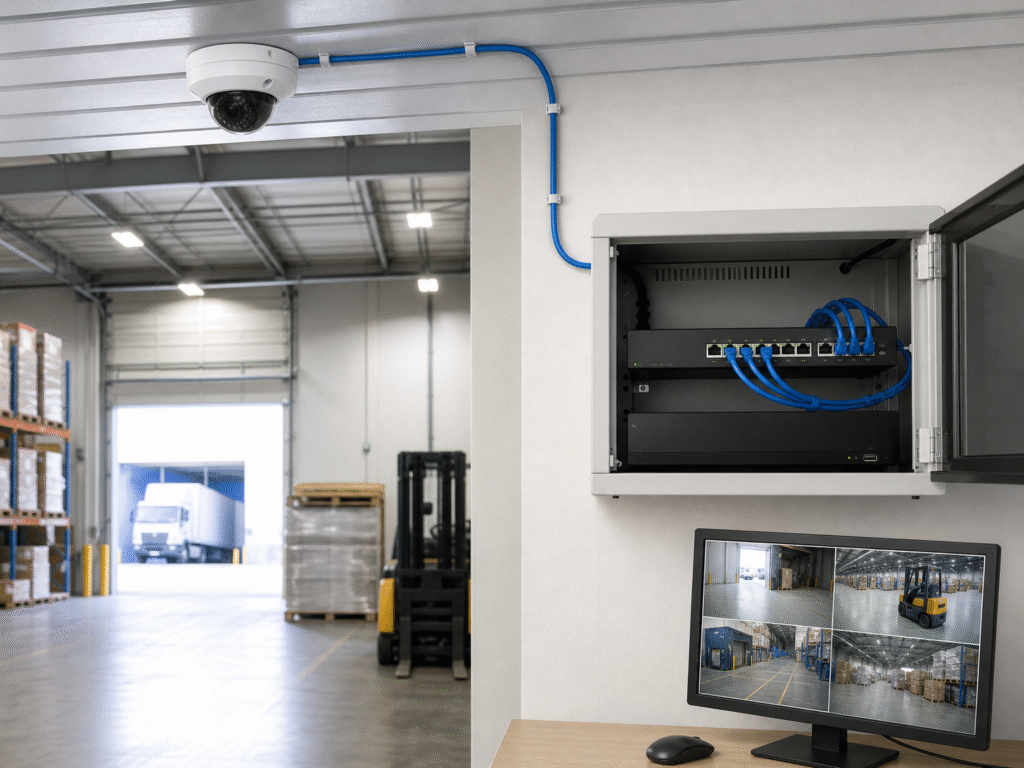
Figure 3. Network video recorder monitoring factory and warehouse cameras. Place this image after the storage and video-management section.
Step 5: Check night monitoring and image position
Warehouses often have uneven lighting, bright loading doors, dark aisles and reflective floors. Outdoor yards may have vehicle headlights, shadows and changing weather.
Test each proposed position for:
- Field of view at the required distance
- Backlight from doors or vehicle headlights
- Detail in dark aisles and corners
- Reflections from floors, windows and metal surfaces
- Night or low-light image quality
- Camera height and possible obstruction by racks or vehicles
- Whether a PTZ view can be controlled quickly enough for the task
A camera can have a high pixel count and still produce an unhelpful image if it is installed too high, pointed toward a bright doorway or blocked by storage racks.
Step 6: Protect the network and user access
IP cameras are network devices, so the system should be treated as part of the site’s IT and security environment.
Recommended planning items include:
- Change default passwords before commissioning
- Create separate user roles for operators and administrators
- Segment camera traffic where appropriate
- Keep firmware and recorder software under a maintenance process
- Restrict remote access to approved users
- Record device names, IP addresses and installation locations
- Back up configuration information
- Use surge protection and backup power where the site requires it
If third-party devices are included, verify protocol and firmware compatibility. ONVIF’s official conformant-product database explains that conformance is tied to a specific product and firmware/software version, so the exact model and version should be checked rather than relying only on a general compatibility statement.
Step 7: Create a commissioning checklist
Before handing the system to the facility team, test every camera and document the result.
| Test item | What to confirm |
|---|---|
| Live view | Each camera displays the intended area |
| Recording | Video is recorded under the defined schedule |
| Playback | Operators can find and export a relevant time period |
| Night view | Image remains usable under actual lighting conditions |
| Network | Camera reconnects correctly after a planned network test |
| Remote access | Only authorized users can connect |
| Alerts | Motion or event alerts follow the agreed workflow |
| Labels | Camera names match the site map and physical locations |
| Power recovery | Equipment restarts as intended after a controlled test |
The final handover should include the camera list, site map, login process, storage settings, maintenance contact and replacement procedure.
Which HIKWIFI camera type fits each site condition?
HIKWIFI’s website shows several camera directions that can support different installation conditions:
- Wi-Fi cameras: for wireless indoor, office and small-site monitoring
- Solar cameras: for outdoor locations where power and network cabling are difficult
- 4G cameras: for remote or temporary areas with cellular coverage
- PTZ cameras: for wider views and remote pan, tilt and zoom functions
- Dual-lens cameras: for combining different views in one installation
- Specialized industrial cameras: for applications that require a particular enclosure or environmental specification
The best system may combine these types rather than use one design throughout the site.
Factory and warehouse IP camera checklist
- Draw the facility layout and divide it into monitoring zones
- Define what each camera must show
- Choose wired, Wi-Fi, 4G or solar connectivity by location
- Confirm switch power, cable routes and network coverage
- Plan recording, storage and retention
- Test entrances, loading docks and aisles at night
- Protect accounts, network access and device configuration
- Confirm camera, recorder and protocol compatibility
- Document every camera position and device setting
- Complete live view, recording, playback and recovery tests
FAQ
Is PoE the only option for a factory camera system?
No. Wired PoE is useful for permanent installations, but Wi-Fi, 4G and solar cameras can be more practical in offices, remote yards, temporary areas or locations where cable installation is difficult.
How many cameras does a warehouse need?
The number depends on the building layout, aisle length, entrances, loading docks, storage height, required identification detail and blind-spot tolerance. A site map and coverage plan should be prepared before deciding the quantity.
Are Wi-Fi cameras suitable for a warehouse?
They can be suitable when wireless coverage is stable and the camera has a reliable power source. Large metal racks, walls and long distances can affect wireless performance, so the actual installation area should be tested.
When is a 4G or solar camera useful?
4G or solar cameras are useful for outdoor yards, temporary facilities, remote gates and locations where local network or mains power is difficult to provide. Cellular coverage, battery capacity and data usage must be checked first.
What should be checked before buying an IP camera system?
Check the required coverage, connection type, power, storage, night image quality, outdoor protection, remote access, recorder compatibility and the service process for the exact model.
Suggested HIKWIFI internal links
- HIKWIFI Homepage
- HIKWIFI Wi-Fi Camera Category
- 16MP Solar PTZ Camera
- 3MP Solar WiFi Home Hub Camera Kit
- 6MP 4G Solar PTZ Camera with 20X Zoom
- Dual Lens WiFi Security Camera
- HIK-V380-GAB-03 PTZ WiFi Camera